Changelog Test
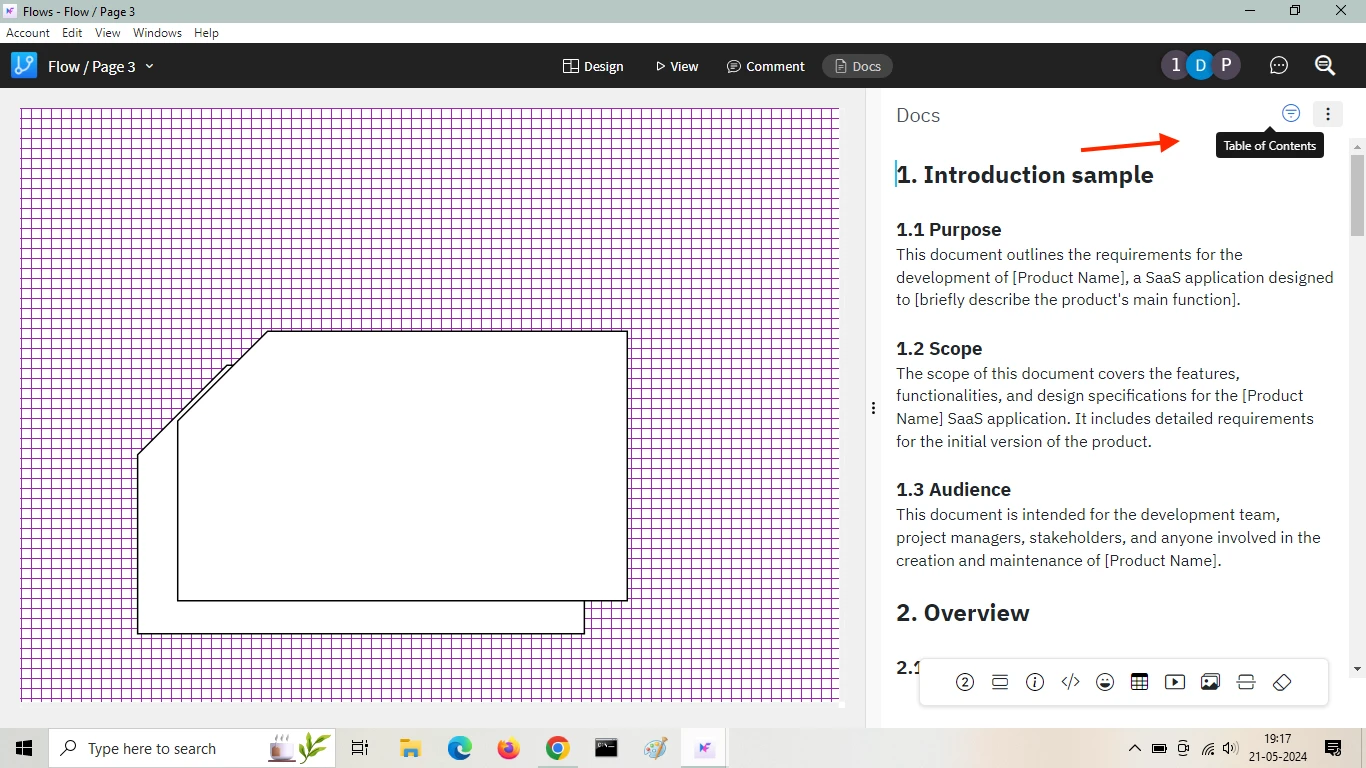
Not just Sketchy wireframes, now draw sketchy UI flows, flow charts and diagrams


MockFlow now offers full support for drawing UI flows, flow charts and diagrams in sketchy format with a hand-drawn look and feel just like our UI wireframes.
alert("Hello! I am an alert box!!");
MockFlow is all about bringing your ideas to the digital realm. Ideas in its original form, are usually rough, incomplete with lots of open-ended questions. However ideas are the core of your next product, upcoming major release. It is important for product managers, CEOs, CTOs to bring these ideas to the table in a format that can be easily conveyed, collaborated and worked upon with their team. At the same time it is important to represent the diagrams as though it was sketched on a piece of paper to make sure it visualizes only the idea stage.
In this latest release, we are excited to provide full support for drawing sketchy diagrams and UI flows. Just like wireframes, simply select the sketchy Flow pack and also enable sketchy drawing for connectors. Note: Connector animations and all other aspects still work in sketchy format.
The above features is available in all plans including Free.
Not just Sketchy wireframes, now draw sketchy UI flows, flow charts and diagrams
A small step for our post editor a giant leap for... 
Hey there!
We've got some shiny improvements for our Post Editor that will make your life a little bit easier!
 Permalink Editor: Now you can customize your URLs. Wave goodbye to random permalinks, and say hello to SEO-friendly ones!
 Copy/Paste Format Keeper: Paste away without losing your formatting. No more manual corrections!
 Copy Content from Another Language: For all the multilingual maestros, easily manage content across languages. No more tab-hopping!
So, go forth and beam some news! And remember, your feedback keeps us going.
Analytics

In today's update, we have overhauled design space insights with better graphics and more informative charts that speaks about your design projects.
Next to wireframing, MockFlow is known for its design project orgranization as it brings tools, files and members together under one roof. With design spaces, it is easy to organize, manage and share design projects just like a folder but better than that. Each design space comes with an insights button where it displays key information about what is happening in that space like top creators, project types, activity and more.
With just a click and a glance, check how your design space has evolved with your project and how your collaborators are involved. Space insights are useful in multiple cases like in agency-client relationship, client can have a better view of their agency's work progress. In a business related design space, it offers how their project uses different aspects of design to bring it together.
This is just the start, more features like activity timeline, AI related insights and integrations with regard to your design project organisation is coming soon to design spaces.
Test 3
Awesome new Zapier triggers⚡
We're super excited to announce that we've just updated our Zapier integration with some awesome new triggers to make your life even easier! Now you can stay in the loop with:
- New comments and reactions

- NPS responses

- Feature requests, comments and votes
This means you can connect Beamer with your favorite tools and create automated workflows like never before! For example, you can:
- Automatically send NPS responses to your CRM and keep your customer info up-to-date.
- Get instant notifications in Slack on each new comment or feature request.
- Sync new feature requests with your PM tool so nothing slips through the cracks.
With these new triggers, you'll save time and stay on top of everything. So go ahead, give it a try and let us know what you think! 